Stop drowning in email.
Bulk-clean your Gmail inbox by sender — see who's flooding you, unsubscribe, and delete in one click.
Get Early Access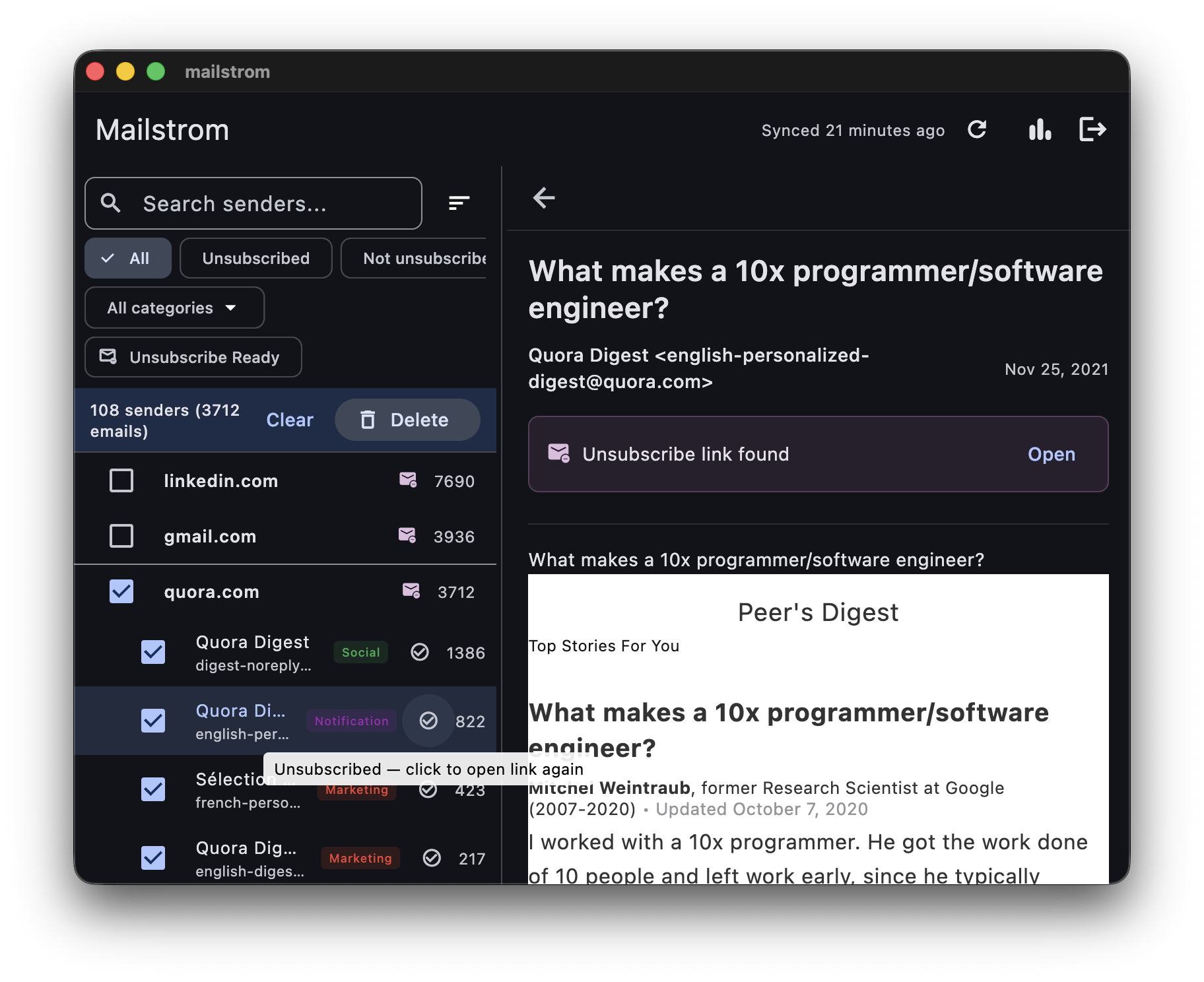
Your inbox is a mess.
You've got thousands of unread emails. Newsletters you subscribed to years ago. GitHub notifications from repos you forgot existed. Marketing blasts from every SaaS tool you ever trialled.
You've tried inbox zero. You've tried filters. You've tried ignoring it. Nothing sticks because the problem isn't discipline — it's that cleaning up email one-by-one doesn't scale.
You need to see the big picture — who's actually flooding your inbox — and clean it up in bulk.
How it works
Connect via OAuth
Sign in with your Google account. Mailstrom never sees your password — just secure, revocable OAuth access.
Analyze by sender
Mailstrom scans your inbox and groups every email by sender domain. Instantly see who's flooding you.
Bulk clean
Select senders, hit delete. Unsubscribe and remove hundreds of emails in a single click.
Features
Sender Tree View
See your entire inbox grouped by domain and sender. Instantly spot who sends you the most email — and how much.
One-Click Bulk Delete
Select one sender or ten. Delete hundreds of emails at once instead of clicking through them one by one.
Smart Unsubscribe
Detect unsubscribe links automatically. Clean up and unsubscribe in a single workflow — no more hunting for tiny footer links.
Privacy-First
Everything runs locally on your Mac. No cloud servers, no data collection. Your email never leaves your device.
Your email stays on your Mac.
Mailstrom is a native macOS app. It connects to Gmail through OAuth — meaning it never sees your password and you can revoke access anytime. All processing happens locally. There are no cloud servers, no analytics, no data leaving your machine.
Before you clean up
Mailstrom is provided as-is. Deleted emails are moved to Gmail's Trash, where they can be recovered for 30 days — after that, they're gone for good. Always review your selections before deleting. Mentilead is not responsible for any emails removed through the app.
You can revoke Mailstrom's access anytime via your Google account settings.
Take back your inbox.
Google requires an expensive security audit for apps that access Gmail. While we work through that process, there are two ways to try Mailstrom today:
Build it yourself
Clone the repo, create your own Google OAuth credentials, and build from source. Full setup instructions are in the README.
View on GitHubGet added as a tester
Send me a message with your Gmail address and I'll add you as a test user. You'll get the full app with a direct download link.
Connect on LinkedIn